BitSpeed Transfer Resumes Interrupted File Transfers From Verified Chunks
An interrupted transfer should not make you guess which bytes arrived. BitSpeed Transfer 0.1.0 starts with a saved snapshot, splits it into hashed chunks and asks the receiver to substantiate its progress after restart. Repeat the send command with the same snapshot and ID, and it sends the chunks still missing. The original source can stay out of the recovery path.
Completion has a separate gate. The receiver assembles the file, checks its full digest and publishes a fixed destination without replacing an unrelated file. A retained witness and stable receipt let the next request verify that same output after a lost final response. The sender checks the receipt against its manifest and saves it locally before saying transferred true. A staging result alone is not enough.
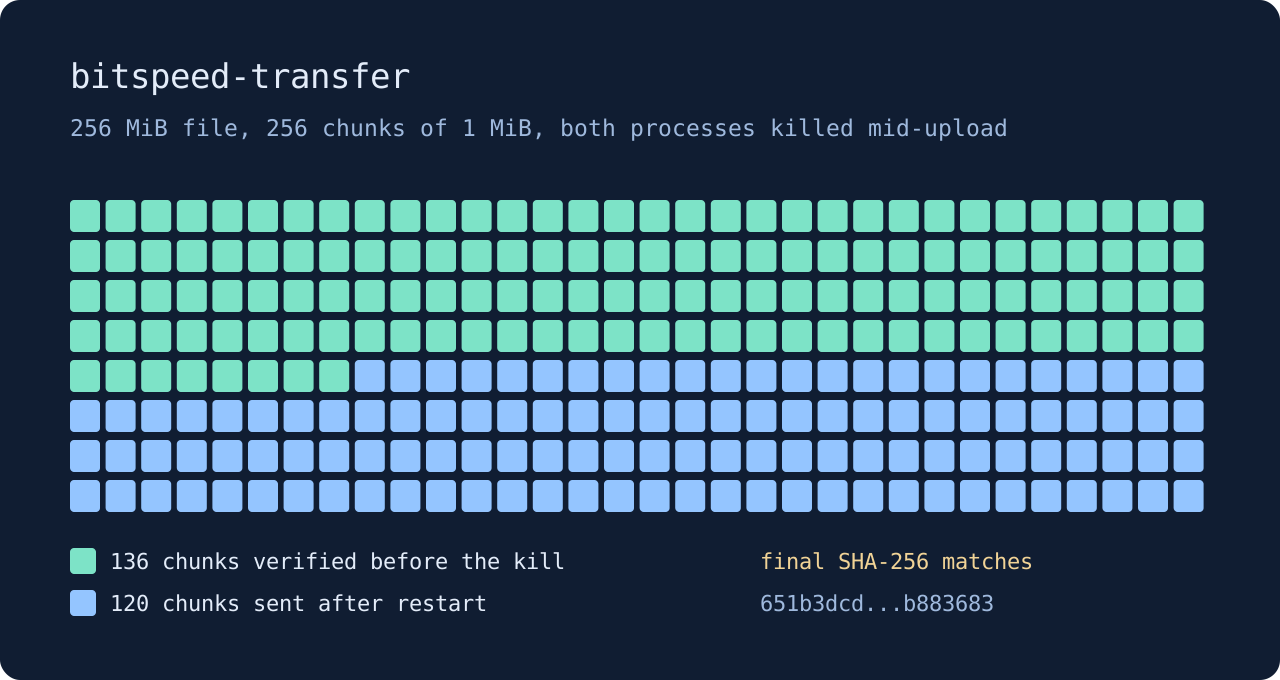
The release went through clean packaging and native archive checks. Linux amd64 and macOS arm64 exercised delivery, interruption recovery and TLS. Linux arm64 and macOS amd64 are cross-built only. The Windows archive checks version/help and explicit rejection of unsupported operations; it does not deliver files. The download table keeps those limits next to each archive.
This first version stays narrow: one file, one destination and sequential chunks. It keeps snapshots, chunks, corrupt evidence and receipts, so disk usage is deliberate rather than invisible. The receiver reserves three times file size plus 32 MiB, and the sender snapshot adds another copy. There is no automatic cleanup. Process-kill and injected-storage tests support the documented synchronization sequence, not a blanket promise about every device’s power-loss behavior.
The Transfer case study follows one killed and resumed run step by step. Start with Quick Start or read the Transfer guide for deployment and retention boundaries. Inspect remains a separate tool for explaining HTTP timings and comparing saved runs. They share a home, not a runtime dependency.